

『Honeywell Electromagnetic Flow Meter Configuration: Setting Up Prominent Magmeter Current Scales』Related information(flow rotameter|digital flow meter|balo meter|hydraulic flow meter|volumetric meter|positive displacement meter|pitot tube flow meter|displacement meter|cfm meter|variable area flow meter|inline flow meter|differential pressure flow meter|calibrated flow meter|velocity meter|paddle wheel flow meter|oval gear flow meter|anemometer hvac|multiphase flow meter|doppler flow meter|thorpe tube flowmeter|heat flow meter)
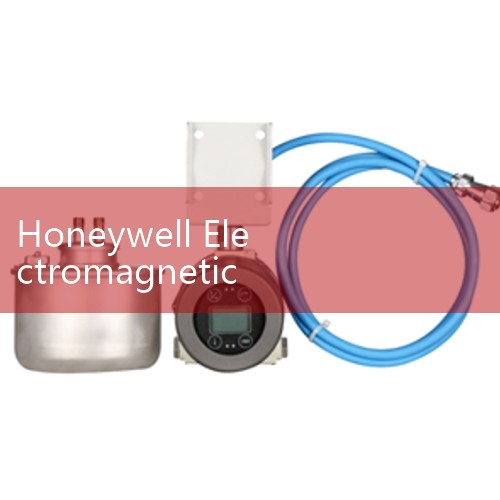
Honeywell Electromagnetic Flow Meter Current Scale Setup: Field Guide for Prominent Magmeters
Quick Answer: Setting up a Honeywell electromagnetic flow meter current scale takes about 20 minutes. You set the 4 mA point at zero flow and the 20 mA point at your maximum flow. Check the loop load and damping after the first test run.
Honeywell Prominent magmeters ship with a default 4-20 mA output. In most plants this default does not match the actual pipe size or flow range. We see this on customer sites in Vietnam, Saudi Arabia, and Chile. A water plant in Da Nang had a DN100 meter reading 0 to 50 m3/h but the transmitter default was 0 to 200 m3/h. The PLC displayed only half of the true flow. The fix was a current scale change.
What You Need Before Configuration
Collect three numbers before you open the menu. First, know the pipe size in DN. Second, know the maximum flow rate in m3/h or L/h. Third, measure the loop resistance with a multimeter. For a Honeywell Prominent magmeter with 4-20 mA HART output, the typical loop load is 250 ohm at 24 V DC. If your loop resistance is above 500 ohm, the signal may clip at high flow. Many engineers skip this part and then chase PLC scaling for hours.
A common setup uses a DN80 meter, 0 to 120 m3/h range, and 4-20 mA HART output to a PLC analog card. The loop power is 24 V DC. The current output is active or passive depending on the I/O card. Honeywell Prominent models often support both modes. Confirm this in the wiring diagram before you apply power.
Step by Step Current Scale Setup
Open the local display menu on the Honeywell transmitter. Use the optical or mechanical keys. Go to the output configuration menu. Select current output or analog output. Set the lower range value to 0 m3/h for 4 mA. Set the upper range value to your maximum flow for 20 mA. If your process runs only between 30 and 70 m3/h, you can set 0 to 100 m3/h for better resolution. Do not set the upper range too close to the normal flow. Leave at least 20 percent headroom.
For a DN50 meter on a chemical batch line in Indonesia, the plant set 0 to 20 m3/h for 4-20 mA. The normal flow was 12 m3/h. The PLC scaling was 0 to 20 m3/h. The reading matched the local display within 1 percent. The damping was set to 2 seconds. A longer damping hides pump pulsations. A shorter damping makes the signal noisy. Field engineers call this the sweet spot for most water and chemical flows.
After the current scale change, run a loop test. Force the output to 4 mA and then 20 mA from the transmitter menu. Check the PLC counts. If the PLC reads 4 mA as 0 and 20 mA as 100 percent, your loop is correct. Then switch back to flow mode. Run water or process fluid for three minutes. Compare the local display, the HART reading, and the PLC value. All three should match within 0.5 percent for a healthy meter.
Common Field Adjustments for Prominent Magmeters
Damping is the first adjustment after scaling. The default value on many Honeywell Prominent transmitters is 3 seconds. For water and wastewater, 2 to 5 seconds works well. For food and beverage dosing, use 1 second. For mining slurry, use 5 seconds to smooth the noise from solids. A pump with a variable frequency drive can create rapid flow spikes. Increa
The pulse output often needs scaling too. A plant in South Africa set the pulse to 0.1 m3 per pulse on a DN150 meter. The batch controller totalizer matched the mechanical meter within 0.2 percent over a 200 m3 batch. If you ignore the pulse scale, the totalizer will drift from the actual volume. This is a common issue on Honeywell Prominent meters that run alongside a HART signal to a flow computer.
Another field adjustment is the empty pipe detection. On a DN200 wastewater line in the Philippines, the meter showed a negative flow when the pipe drained. The empty pipe detection threshold was too low. Raise the threshold or enable the empty pipe alarm in the output menu. This prevents the PLC from recording false flow rates during pump stops.
When to Replace a Honeywell Transmitter with Silver Instruments
Not every old Honeywell magmeter is worth repairing. If the display is dead, the body is corroded, or the electrode signal is unstable, a new meter is cheaper than repeated service. Silver Instruments supplies electromagnetic flow meters from DN10 to DN2000. We build the current scale to your flow range before shipping. You do not need to open the menu on site unless your range changes.
We have replaced Honeywell Prominent magmeters on desalination plants in Oman and cooling water lines in Malaysia. A customer in Lima ordered a DN100 meter for 0 to 200 m3/h with 4-20 mA HART and Modbus RTU. The current scale was pre-set to 0 to 180 m3/h because the actual pump rating was 150 m3/h. The spare headroom avoided clipping during peak demand.
Need a spare transmitter or a new meter? Call Silver Automation Instruments at +86-25-68650347. WhatsApp is +86-25-52155837. WeChat is +86 15365082610. Send us your pipe size (DN), flow range (m3/h), process fluid, and output type. We will reply with a recommended model and a scaled current curve.
FAQ: Five Key Questions
Q1. Can I change the Honeywell magmeter current scale while the meter is online? Yes. The output will freeze for a few seconds. Most plants do this during a scheduled pause. Do not change the scale during a critical batching run.
Q2. What is the typical 4-20 mA scaling for a DN100 magmeter? For water, 0 to 100 m3/h is common. For wastewater, 0 to 200 m3/h is often used. The range depends on pipe velocity. Keep the normal flow above 0.5 m/s.
Q3. Why does my PLC show a negative flow after the pump stops? The empty pipe detection is often disabled or set too low. Enable the empty pipe alarm and raise the threshold. A small negative flow is normal on many magmeters when the pipe drains.
Q4. Can Silver Instruments supply a drop-in replacement for a Honeywell Prominent magmeter? Yes. We need the pipe size, liner material, electrode type, and current output settings. We pre-set the 4-20 mA scale to your flow range. The meter body lengths follow common industry standards.
Q5. How do I confirm the 4-20 mA loop is healthy after scaling? Force the transmitter to 4 mA and 20 mA from the menu. Measure the current at the PLC terminal. If the reading is not within 0.1 mA, check the loop resistance and the power supply. A healthy loop shows 4.00 mA and 20.00 mA within tolerance.
 Hot Product
 Related AD